Read Our Articles & Grow Your Social Media
We analyze the latest social media algorithm updates, engagement patterns, and content ranking signals
to deliver actionable strategies that help creators and brands increase visibility, reach, and audience growth across major platforms.
Understanding how platforms evaluate watch time, engagement rate, retention, and relevance is essential for staying competitive
in today’s algorithm-driven digital landscape.
Click here to explore our full archive of articles →
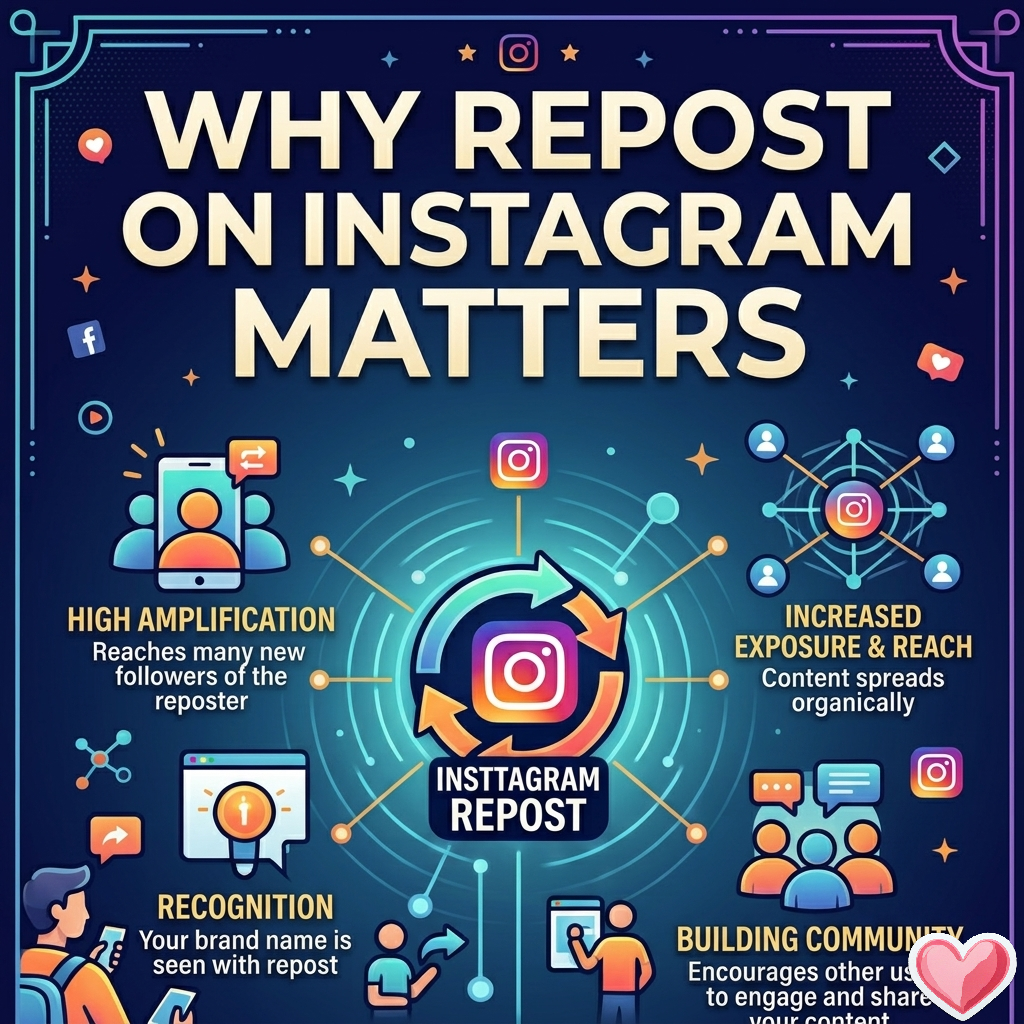
On Instagram, engagement is not a single metric—it’s a weighted system of signals that influence distribution in different ways. The confusion usually comes from how “repost,” “share,” and “save” are defined differently inside the platform versus how users talk about them.Let’s break it down precisely.1. First: Instagram doesn’t treat all “engagement” equallyInstagram’s ranking systems (feed, Explore, Reels distribution) primarily optimize for prediction of value, not raw interaction counts. That means the algorithm tries to answer:
“Will this content be shown to someone else and lead to meaningful continued engagement?”
Different actions signal different types of value.2. What “repost” actually means on InstagramThere are two common interpretations:A. Native Instagram sharing (most important)
Sharing a post to:
Stories
Direct Messages (DMs)
B. External repost tools (less important)
Third-party apps that repost content onto a feed again
In Instagram’s ranking logic, native shares (especially DMs and Stories) are what matter.3. Why “reposts” (shares) can outperform saves and likesIf we interpret “repost” as sharing a post to others, it often carries more algorithmic weight because it indicates:✔ Social endorsementA share implies:
“This is worth another person’s attention.”
That is stronger than a save, which only implies:
“I personally find this useful.”
✔ Network expansion signalShares create distribution events:
DM shares = private amplification
Story shares = public amplification
This directly increases reach velocity.✔ Higher intent actionSharing requires an extra step of social judgment:
Choosing who to send it to
Choosing why it is relevant to them
That “intent layer” is highly predictive of content virality.4. Where saves actually matter more than sharesSaves are still extremely important—but in a different way:Saves signal:
Long-term value
Educational utility
Reference content (guides, tips, tutorials)
They primarily influence:
Future recommendations
Content quality scoring over time
But they do not directly redistribute content to new audiences the way shares do.5. The real hierarchy (simplified)While Instagram does not publish exact weights, creator analytics and platform behavior strongly suggest:For immediate reach (virality):
Shares (DM + Story reposts)
Comments
Likes
Saves
For long-term ranking:
Saves
Watch time (Reels)
Replays
Consistent engagement history
So both matter—but they optimize different outcomes.6. Why people think “reposts matter more”This belief comes from a real observation:
Posts with high shares often go viral faster
Saves alone rarely trigger sudden distribution spikes
DM sharing is a strong “dark social” growth engine
So creators see correlation and assume dominance.But the accurate view is:
Shares = distribution trigger
Saves = quality reinforcement
7. Practical implication for growth strategyIf your goal is growth on Instagram:
Design for shares → emotional, relatable, surprising, controversial, or highly “sendable”
Design for saves → educational, structured, evergreen, actionable
High-performing content usually does both:
“Send this to your friend” (share trigger)
“Save this for later” (utility trigger)
Bottom lineReposts (shares) often feel more powerful because they directly expand reach across networks, which accelerates virality. Saves, however, strengthen long-term ranking and content authority.
The strongest Instagram content is not one that maximizes a single metric—but one that creates both redistribution (shares) and retention (saves) simultaneously.
Read More
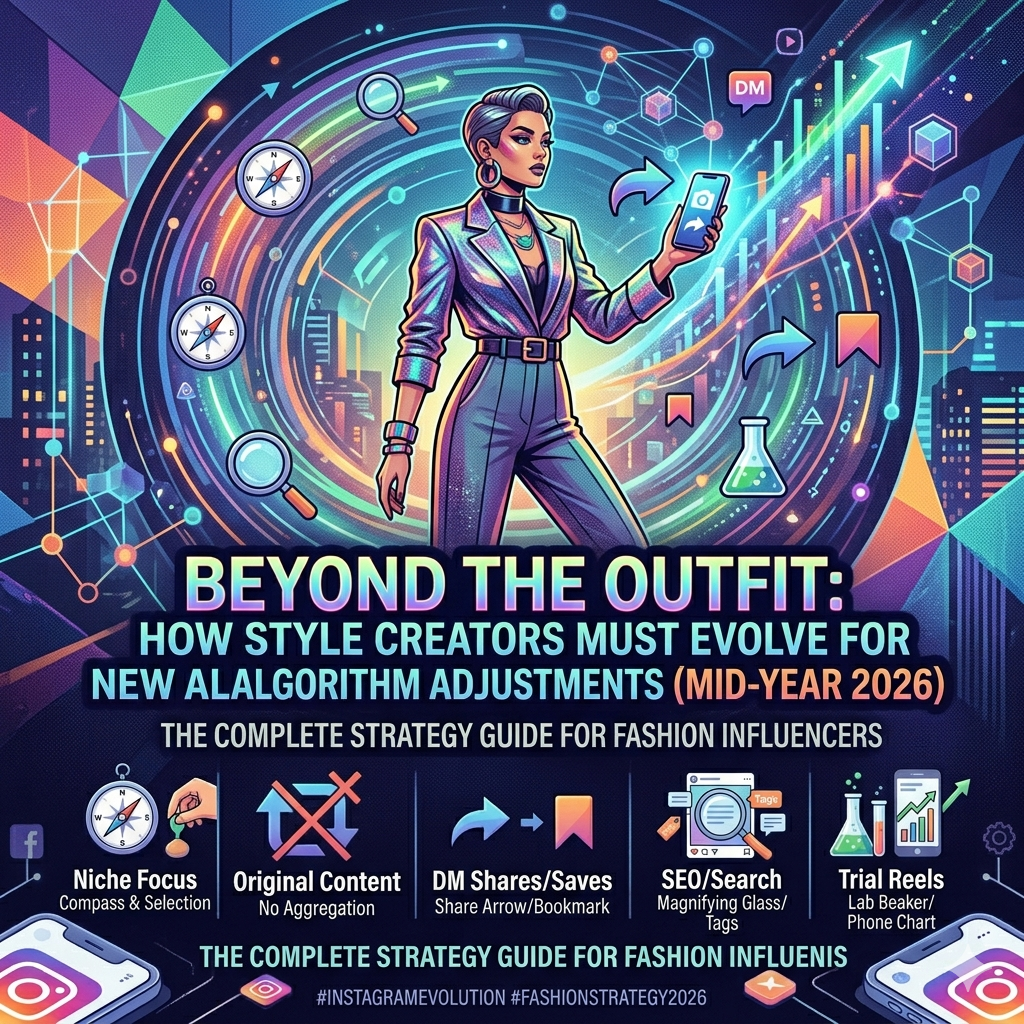
The era of simply posting an "OOTD" (Outfit of the Day) and expecting viral reach is officially over.In 2026, Instagram's algorithm has evolved into a highly sophisticated discovery engine powered by artificial intelligence, user-selected interests, watch-time analysis, and originality detection. As a result, fashion creators who still rely on generic outfit posts, recycled trends, viral audios, and hashtag stuffing are experiencing significant declines in reach, engagement, and follower growth.Today's successful fashion influencers are no longer competing solely against other style creators. They are competing for intent-based attention in a crowded ecosystem where Instagram actively decides which creators deserve visibility.If you want to grow as a fashion creator in 2026, these are the shifts you need to make immediately.1. Stop Chasing Trends. Start Owning a Fashion Niche.One of Instagram's most impactful updates is the ability for users to customize what content categories they want to see more—or less—of through "Your Algorithm" controls.This means Instagram now prioritizes creators with clear topical authority.If your content alternates between streetwear, luxury fashion, fitness, food, travel, and random memes, the algorithm struggles to understand who your audience is. Consequently, your content becomes harder to recommend.Winning StrategyInstead of following every trending aesthetic, dominate a specific niche such as:Quiet Luxury FashionSustainable FashionKorean StreetwearVintage WorkwearOffice Style TransformationsPlus-Size FashionCapsule WardrobesBudget Fashion FindsThe more consistently your content communicates a specific fashion identity, the more likely Instagram's AI is to recommend your profile to users actively interested in that topic.Authority beats variety in 2026.2. Original Content Is No Longer OptionalInstagram continues to aggressively prioritize original creators while reducing distribution for reposted or recycled content.Accounts that mainly repost fashion inspiration, runway clips, Pinterest compilations, or TikTok uploads are seeing reduced discoverability—even when proper credit is given.Winning StrategyCreate content that showcases:Your styling choicesYour fashion opinionsYour personal commentaryYour editing styleYour unique storytellingIf you want to feature another creator's work, use Instagram's built-in Collab or Remix features instead of downloading and reposting content.The algorithm increasingly rewards creators who contribute something new rather than redistribute what already exists.Your perspective is now more valuable than the trend itself.3. DM Shares and Saves Matter More Than LikesMany creators still obsess over likes.Instagram doesn't.In 2026, some of the strongest ranking signals include:Sends per Reach (DM Shares)SavesWatch TimeReplaysRetention RateA Reel with fewer likes but a high share rate often outperforms content that receives thousands of passive double taps.Winning StrategyCreate content people feel compelled to send to a friend.Examples include:Educational Fashion CarouselsInstead of posting:"Here's today's blazer."Create:"3 Ways to Style One Blazer for Work, Date Night and Weekend Brunch."Educational content naturally drives saves and shares.Fashion Mistakes ContentTopics like:5 Styling Mistakes Making You Look OlderFashion Trends That Instantly Elevate Your OutfitWhat Men Notice First About Women's OutfitsCommon Wardrobe Errors Most Professionals MakeThese formats consistently generate discussion and sharing.Master the 3-Second HookThe first three seconds of your Reel determine whether viewers stay or leave.Strong hooks include:"Stop wearing your blazer like this.""Most people style this trend incorrectly.""This fashion trick makes any outfit look expensive."Attention is the most valuable currency on Instagram.4. Instagram SEO Is the New Growth HackHashtags are no longer the primary discovery tool they once were.Instagram now analyzes:CaptionsVoiceoversOn-screen textCommentsProfile descriptionsThis allows the platform to understand what your content is about with far greater accuracy.Winning StrategyThink like a search engine optimizer, not just a content creator.Instead of writing:"Loved this outfit today ❤️"Write:"How to style oversized blazers for a minimalist office wardrobe in 2026."This helps Instagram categorize your content and surface it to users searching for fashion-related topics.Include relevant keywords naturally throughout:Fashion TipsStyling AdviceOutfit IdeasWorkwear FashionCapsule WardrobeStreetwear TrendsLuxury FashionSustainable FashionThe creators dominating Instagram today are often the creators who understand search intent.5. Trial Reels Are the Most Underrated Growth ToolOne of Instagram's most powerful creator features remains surprisingly underutilized: Trial Reels.Trial Reels allow creators to test content with non-followers before exposing it to their existing audience.This provides valuable performance data without risking engagement declines on your main feed.Winning StrategyUse Trial Reels to test:New fashion nichesDifferent editing stylesLonger storytelling formatsFashion commentary contentTrend prediction videosBehind-the-scenes contentIf retention and engagement perform well, scale the format across your profile.Smart creators are treating Trial Reels like a laboratory for growth.Final ThoughtsThe biggest winners on Instagram in 2026 are not necessarily the most fashionable people.They are the creators who provide the most value.Fashion creators who teach, inspire, solve problems, and create content worth sharing are outperforming creators who simply showcase outfits.The future belongs to creators who position themselves as trusted stylists, educators, and trend interpreters—not just models wearing clothes.Focus on niche authority, original content, Instagram SEO, retention-focused Reels, and shareable value-driven posts.Do that consistently, and the algorithm becomes your distribution partner rather than your biggest obstacle.
Read More
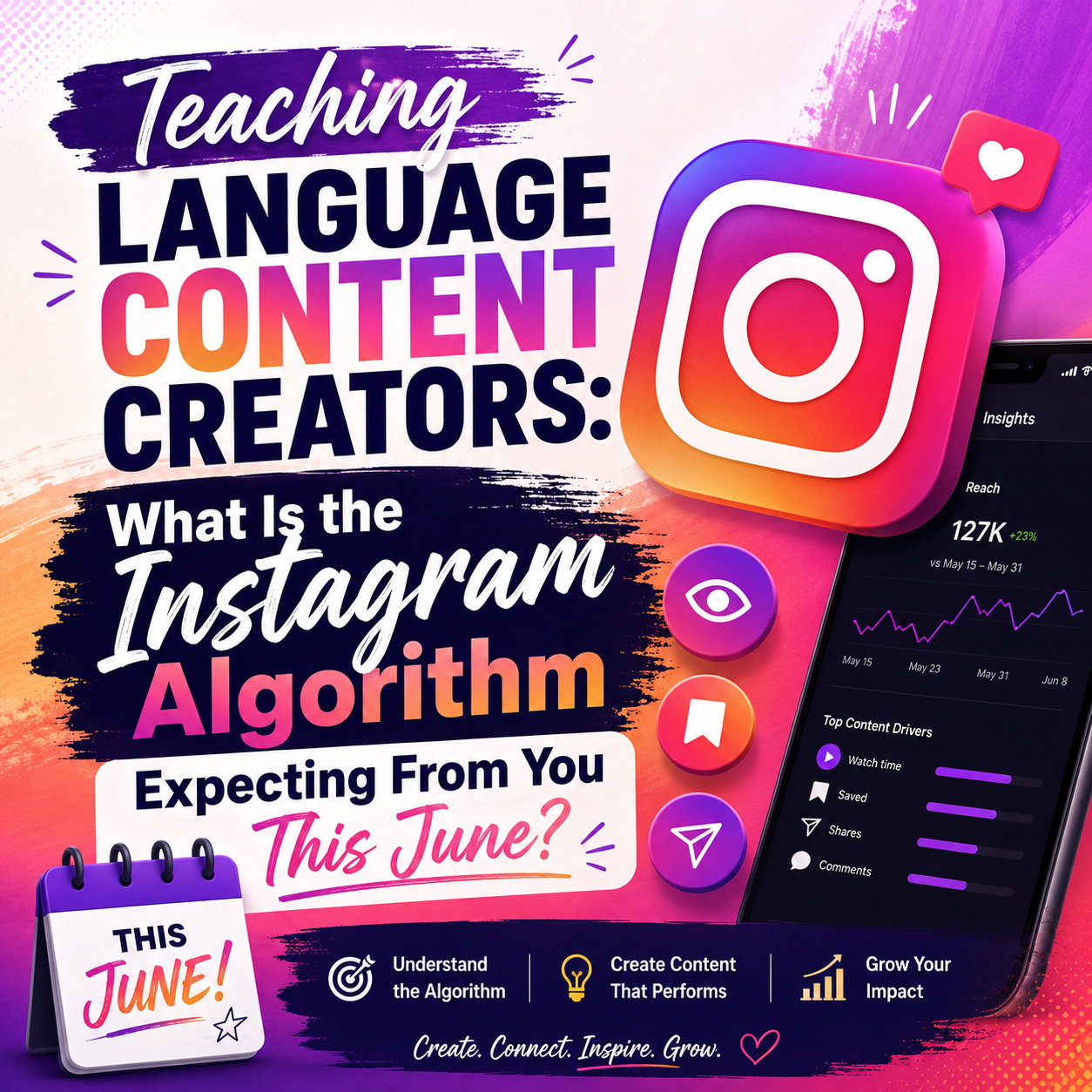
If you are a language teacher, polyglot, or linguistics creator on Instagram, you’ve likely noticed a frustrating trend over the last few weeks: your standard vocabulary lists and "3 ways to say hello" graphics just aren’t hitting the Explore page like they used to. You aren't imagining things!Instagram has rolled out massive structural updates to how it recommends educational content.As AI tools become better at translating languages and generating vocabulary lists instantly, Instagram is placing less value on basic information and more value on content that keeps people engaged.Today, the platform rewards creators who spark conversations, encourage shares, and keep viewers watching longer.If you teach languages online, here's what Instagram wants from your content this June.1. Instagram Now Rewards Shares More Than SavesFor years, creators focused on likes, comments, and saves.In June 2026, one metric is becoming increasingly important: shares.When someone sends your post through DMs, Instagram sees it as a strong recommendation signal.Think about what happens when a student sees a basic vocabulary list.They may save it.They may screenshot it.Then they leave.Now compare that to a post titled:"Only Advanced Spanish Learners Can Answer Question #5 Correctly."That student immediately sends it to a friend.Instagram notices.And content that gets shared is often pushed to larger audiences.Create More Share-Worthy Language ContentInstead of publishing information alone, create content people naturally want to send to others:• Language quizzes• Pronunciation challenges• Native-speaker mistake corrections• Travel phrases everyone should know• "Send this to your study partner" postsThe more conversations your content creates, the more reach Instagram is likely to give it.2. Instagram Is Reading, Watching, and Listening to Every ReelHashtags still help.But Instagram now understands content far beyond hashtags alone.The platform analyzes:• Spoken words• On-screen text• Captions• Video context• Audience behaviorThis means SEO for Instagram is no longer just a hashtag strategy.If you teach French pronunciation, say the words clearly.If you teach Thai vocabulary, display keywords on-screen.If you teach Japanese grammar, include those exact phrases in your captions.The clearer your topic signals are, the easier it becomes for Instagram to identify the right audience.Instagram SEO Checklist for Language Creators✓ Clear audio✓ Large captions✓ Language-specific keywords✓ Search-friendly Reel titles✓ Descriptive captionsCreators who optimize all five are often easier for Instagram to categorize and recommend.3. Longer Educational Reels Are Making a ComebackOne of the biggest Instagram myths is that shorter videos always perform better.That is becoming less true in 2026.Instagram is increasingly rewarding educational Reels that keep viewers engaged for longer periods.For language creators, this creates a major opportunity.Instead of teaching one word in five seconds, teach a complete lesson.High-Retention Reel Ideas• Pronunciation breakdowns• Grammar shortcuts• Real-world conversations• Translation mistakes learners make• Cultural misunderstandings foreigners experienceThe longer viewers stay engaged, the stronger the signal that your content deserves wider distribution.4. Original Content Is Receiving Priority DistributionInstagram continues to reduce visibility for accounts that simply repost existing content.If you're using:• Movie clips• TV scenes• Podcast clips• Viral TikTok videosYou must add meaningful educational value.Content Formats Instagram Favors• Vocabulary breakdowns from movie scenes• Pronunciation analysis• Native-speaker reactions• Language-learning remixes• Split-screen teaching videosThe goal is simple:Don't repost.Transform.Original interpretation often performs far better than recycled content.June 2026 Instagram Growth Strategy for Language CreatorsUpgrade Your Instagram SEOUse language-learning keywords naturally throughout:• Captions• On-screen text• Reel titles• Profile contentInstead of broad terms like:#LanguageLearningUse highly targeted keywords such as:#LearnSpanishDaily#JapaneseForBeginners#ThaiLanguageTips#FrenchPronunciationSpecific keywords help Instagram understand exactly who should see your content.Publish More Quiz CarouselsQuiz content naturally drives:• Shares• Saves• Slide completion ratesSimple formula:Slide 1 → QuestionSlides 2-4 → HintsFinal Slide → AnswerThen encourage followers to challenge a friend.Double Down on Pronunciation ContentPronunciation Reels often generate repeat views.Students replay the video.Practice speaking.Watch again.This naturally increases retention and watch time, two of Instagram's strongest ranking signals.Turn Followers Into ConversationsThe fastest-growing language creators are not just publishing content.They are creating interactions.Examples:"Comment PDF for the worksheet.""Comment SPANISH and I'll send the lesson.""DM me the answer."These calls-to-action transform passive viewers into active participants.The Best Language Content Formula for June 2026ReelsFocus on:• Pronunciation lessons• Cultural misunderstandings• Common learner mistakesGoal:Reach new audiences through recommendations and shares.CarouselsFocus on:• Quizzes• Flashcards• Grammar challengesGoal:Increase saves, shares, and engagement.Stories & LivesFocus on:• Student Q&A sessions• Speaking practice• Community feedbackGoal:Build trust and strengthen audience relationships.Final TakeawayThe Instagram algorithm in June 2026 is rewarding creators who generate interaction, not just information.The creators seeing the fastest growth are focusing on:✓ Shareable content✓ Instagram SEO keywords✓ Longer educational Reels✓ Original teaching content✓ Meaningful audience conversationsMaster those five areas, and Instagram will have a much easier time recommending your content to the learners who need it most.Your June Action Plan for Language GrowthTo realign your feed before the mid-month algorithm sweep, execute this step-by-step strategy:1.Clean up your caption metadata: Immediate.Stop using generic tags like #languages. Switch to 3 hyper-targeted tags (e.g., #LearnSpanishDaily) and write your target vocabulary directly into the first two sentences of your caption for native SEO parsing.2.Deploy a 'Test Your Friend' Carousel: Next 48 Hours.Create a 5-slide carousel mapping out a common linguistic mistake. On the final slide, use a explicit Call-to-Action: "Send this to your language exchange partner and see if they can spot the mistake."3.Utilize Trial Reels for Native Pronunciation: This Week.Film a 30-second pronunciation guide. Use Instagram's "Trial Reels" feature to push it exclusively to non-followers first to test your watch-time retention before it hits your main grid.4.Prioritize Two-Way DM Conversations: Ongoing.The algorithm tracks how often you talk to your students. Use the "Comment a keyword and I'll DM you the PDF worksheet" strategy to move casual viewers into deep-relationship inbox threads.
Read More
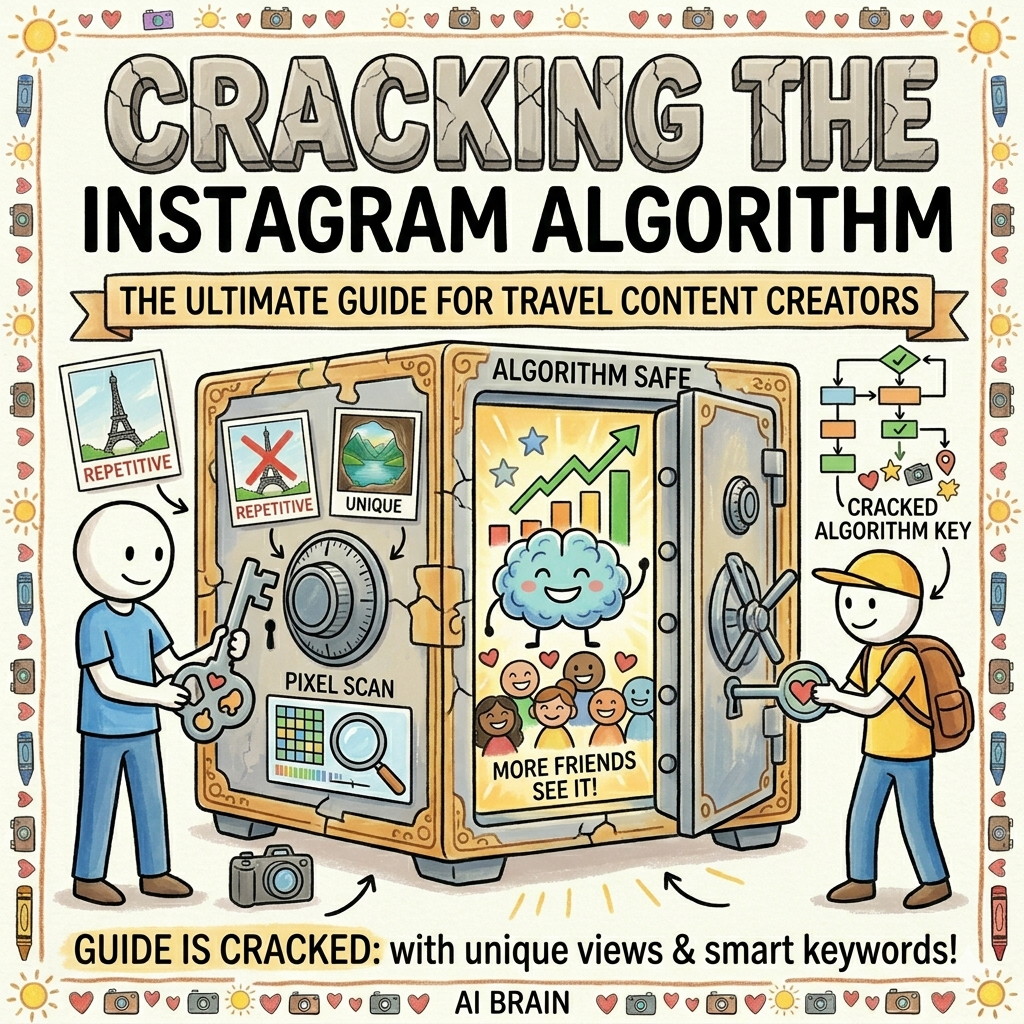
If you are a travel content creator watching your organic reach plateau, it is easy to assume the platform is working against you. But the reality is far more strategic. The platform didn't just tweak its code; it completely rewired how travel content is valued, ranked, and pushed to the Explore page.To help you get your engagement back on track, this data-driven guide breaks down exactly how theInstagram algorithm works and how top travel influencers are altering their production strategies to win.The Primary Ranking Factors Shaping the FeedTo rank on Google and scale on social, you must understand what metrics matter most. Historically, creators chased vanity metrics like likes and comments. Today, Instagram Head Adam Mosseri has made it clear that distribution is governed by an entirely different hierarchy of organic signals, with Views acting as the primary currency. Ranking SignalAlgorithmic WeightPrimary Goal for Travel CreatorsWatch Time & CompletionCriticalCapturing early interest and utilizing seamless video loops.DM Shares (Sends per Reach)High (3x–5x more than likes)Building highly shareable, utility-based destination resources.SavesMedium-HighCreating evergreen, high-value travel itineraries.Likes & CommentsMediumFostering community and conversational discussion.HashtagsLowStrict content categorization (Not a primary discovery tool).4 Rules to Outsmart the Instagram Algorithm1. Optimize Your Caption for Instagram SEO (The End of Hashtag Blocks)One of the massive structural shifts on the platform is that hashtag follows are officially dead. Users can no longer follow specific hashtags, stripping them of their discovery power. Furthermore, with the platform tightening restrictions on metadata, hashtags are now effectively capped at a maximum of 3 to 5 hyper-niche tags per post, functioning purely as a backend classification system. The real traffic lever is now Instagram Caption SEO. The platform's search AI fully indexes copy, meaning your text directly dictates your visibility. If you want your destination guides to pop up in the search bar months after posting, you must replace your old blocks of 30 hashtags with 2–3 sentences of natural, keyword-rich prose right at the top of your caption.SEO Implementation Tip: Instead of writing generic fluff, use geo-modified long-tail terms. For example, instead of just tagging a city name, use highly searchable phrases in your first sentence like: "If you are looking for hidden food stalls in Tokyo or budget-friendly packing lists for Japan, save this Reel."2. Capitalize on the 20-Slide Carousel LimitWhile Reels are your primary weapon for raw follower discovery, Feed Carousels are the undisputed kings of audience retention and depth. With limits expanded up to 20 slides, travel creators are designing these like mini-magazines. If a viewer skips past your carousel, the algorithm leverages residual exposure. It will re-serve that exact same post to that user later in the day, automatically showing the second or third slide. This effectively doubles your chances of stopping the scroll without requiring extra production.3. Leverage Meta's AI Image Recognition for Unique Visual HooksOne of the most powerful, under-the-radar shifts in the algorithm is Meta's heavy reliance on advanced computer vision (machine learning image recognition). Instagram's AI no longer just reads your captions and text to understand your content—it directly analyzes the raw pixels of your photos and videos. When you capture a unique, high-contrast framing of a famous landmark or a pristine, uncrowded natural landscape, Meta’s visual AI automatically detects and labels elements like "mountain," "emerald water," "historical architecture," or "local market" to instantly map your context.To take advantage of this AI image sorting, top travel influencers are changing how they shoot:Ditch the Cliche Frames: The algorithm can easily recognize when you are standing in the exact same spot as ten thousand other tourists. Shooting from a lower, unique compositional angle or framing through a local window archway signals "fresh content" to the visual AI.High-Contrast Clarity: Clear, crisp visual definition allows Meta's asset-labeling models to easily identify the physical elements of your travel destination, accelerating how fast your post gets sorted and recommended to users who have a history of engaging with similar landscapes.4. Build Sensory Audio Hooks Over Studio PolishAs AI-assisted media and over-recycled templates flood social spaces, the recommendation engine is actively favoring raw human originality. Heavily edited travel aesthetic montages set to generic trending music are losing ground to authentic, real-time auditory experiences. Top travel creators are scaling back on over-polished studio production and leaning into ambient audio hooks (ASMR)—the real crunch of hiking boots on gravel, the roar of a waterfall, or the natural chatter of a local market. These grounded, real-time auditory triggers hold a user's attention past the critical 1.5-second mark, sky-rocketing video completion rates and looping metrics.Summary Checklist for Travel CreatorsTo align your travel account with the current algorithm update, pivot your operations this week:Minimize your reliance on third-party music tracks and focus on filming original audio.Limit your hashtags to 3 to 5 hyper-niche tags maximum per post. Rewrite your caption structures to lead with high-volume, local travel keywords.Design your video hooks and text overlays to intentionally drive direct-message shares.
Read More
The financial world is completely obsessed with the AI stock boom. Trillions of dollars are pouring into semiconductor companies, cloud infrastructure giants, and tech enterprises.But behind the Wall Street charts lies a massive, practical benefit for everyday skincare creators: the cash fueling those skyrocketing AI stock prices is directly funding the hyper-powerful tech you can use to trick, feed, and conquer the Instagram algorithm.When a tech company's stock surges, their research budget explodes. They build smarter models, lower data-processing costs, and launch cheap or free tools that do 90% of your scientific research and visual editing. In short, Wall Street is paying for the heavy machinery, while you use it to grow your view count.Here is exactly how that massive tech money tricks the Instagram algorithm into boosting your skincare feed, and the precise steps you need to take to cash in on it.The Trickle-Down Effect: From Wall Street to Your Reels On InstagramThe corporate AI arms race has moved past generic text generation and is heavily targeting visual diagnostics and ingredient data mining. Major beauty conglomerates and tech firms are building advanced tools that you can leverage to give the Instagram algorithm exactly what it wants: Viewer Retention, Saves, and Shares.Think of it like a lemonade stand. Big investors are throwing billions of dollars at a tech company to build the ultimate, super-fast tractor. Because they have so much money, the company makes that tractor incredibly cheap for you to use. You use it to grow a massive field of perfect strawberries (your content) faster than anyone else.Meanwhile, Instagram runs the local supermarket (the algorithm). The supermarket only wants to put the freshest, most exciting strawberries on the front display. Because Wall Street subsidized your tractor, you get to deliver exactly what the supermarket wants, right when they want it.How the Tech Boom Directly Forces an Instagram Algorithm BoostThe Instagram algorithm doesn't care about how hard you worked on a video. It cares about specific engagement triggers. Here is how funded AI tech directly triggers those metrics:1. The "Before and After" Data Hook (Triggers Watch Time)Massive investments in computer vision mean that consumer-facing AI skin diagnostics (scanning for hyperpigmentation, redness, and moisture levels) are now incredibly precise.The Algorithm Match: The algorithm loves "Before & After" content, but standard videos can look fake or filtered, causing people to swipe away. If you use an AI skin scanner to show a literal percentage drop in skin redness over a 14-day product trial, you create an undeniable visual hook.The Boost: Viewers stop scrolling to look at the hard data, increasing your viewer retention and forcing Instagram to push your Reel out to the Explore page.2. Instant Ingredient Demystification (Triggers Saves)Advanced language models are now trained on massive biomedical and cosmetic formulation libraries, synthesising complex cosmetic chemistry into clear snippets in seconds.The Algorithm Match: Right now, Saves are the ultimate metric for Instagram growth. When someone saves a post, it signals that your content is high-value. Instead of spending five hours reading dense clinical trials on a new peptide, you use AI to instantly spin up a 3-point cheat sheet on how it interacts with the skin barrier.The Boost: Viewers hit "Save" so they can remember the advice next time they shop. A spike in Saves tells Instagram, "This is educational gold," and it automatically feeds your post to non-followers.3. Intercepting Trends Early (Triggers Search Optimization)Tech giants have built massive AI search trackers to help big brands predict what products people are buying globally, mapping out rising interest in niche ingredients up to two weeks before they hit the mainstream.The Algorithm Match: The Instagram algorithm heavily rewards early adopters. If 500 creators are talking about Niacinamide, the algorithm is bored of it. But if an AI tool flags that search traffic for a rare ingredient like ectoin or bifida ferment is silently spiking, you can drop a video on it today.The Boost: When regular users start searching for that ingredient on Instagram a week later, your video is already sitting at the top of the search tab because you were first to the market.Your Action Plan: How to Claim Your BoostTo turn the stock market's tech wins into your follower gains, upgrade your daily workflow with these four steps:1.Anchor Content with Algorithmic Data:Use free or accessible AI skin analysis apps to track your own skin metrics during product testing. Present your audience with hard, algorithmic data points alongside your physical results. Showing a chart of your skin's hydration levels climbing sets you apart from creators who just say, "I like how this feels."2.Deploy AI for 'Skin-Chemistry' Breakdowns:When a brand drops a viral product, feed the complete ingredient list into an AI tool. Instruct it to isolate the active percentages, map potential ingredient conflicts, and explain how it works. Turn this synthesis into highly shareable, quick-hit carousels or script hooks.3.Create 'Saveable' Graphic Cheat Sheets:Use AI design and copywriting tools to quickly format your ingredient research into aesthetic, easy-to-read guides. Focus on making the text clear and actionable so users are compelled to hit the save button for future reference.4.Keep Your Actual Skin Raw and Unfiltered:Generative AI filters are creating an algorithmic bias toward perfectly symmetrical, poreless skin, which audiences are beginning to deeply distrust. Use AI strictly for the background text, research, and trend sourcing, but keep your actual skin footage completely raw and high-definition to preserve human trust.Balancing the Machine with the Human TouchWhile Wall Street's money can handle the heavy lifting of data processing, scientific synthesis, and trend prediction, it cannot experience a breakout, feel a product's texture, or offer genuine empathy for someone struggling with a damaged skin barrier.Audiences don't form relationships with algorithms; they connect with identifiable, real people. Use the time saved by your new AI research engine to double down on what software can't replicate: replying authentically to your comments, showing your real skin texture, and building a true community.
Read More
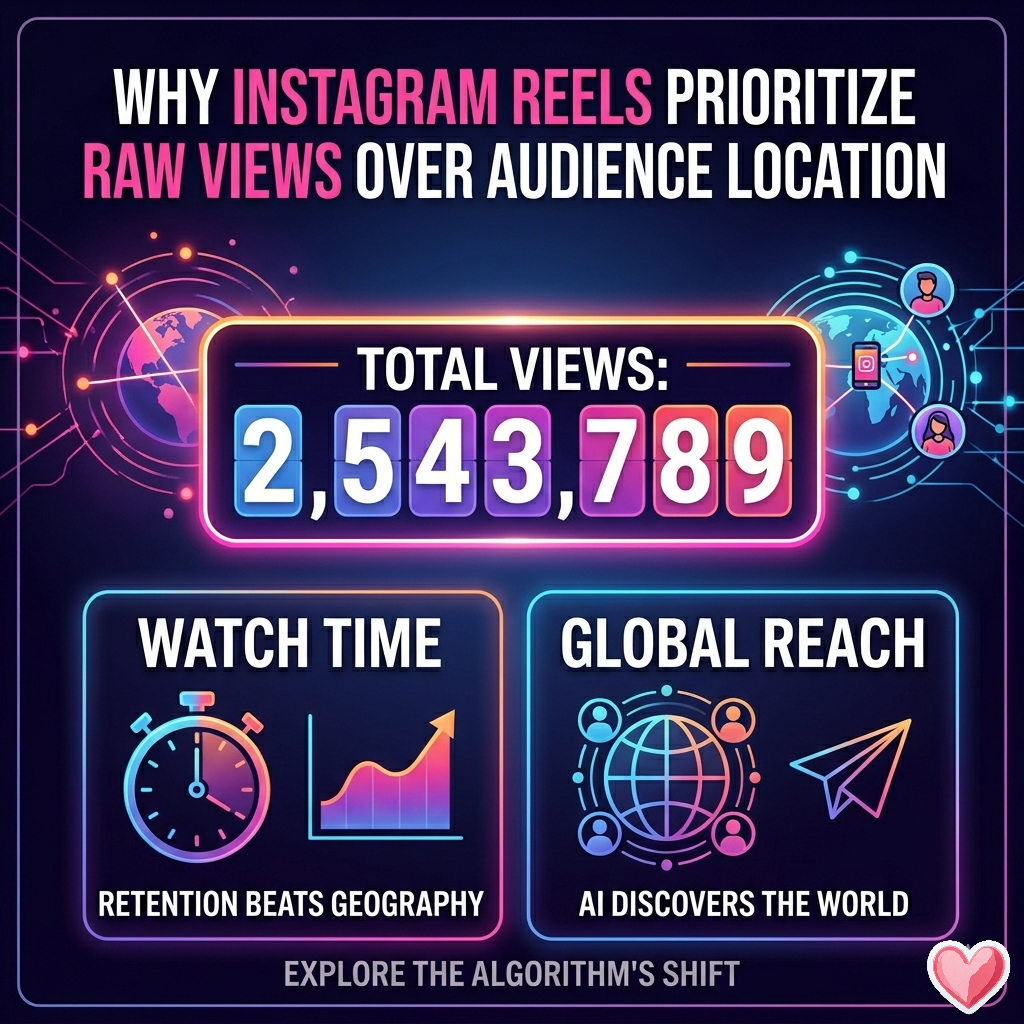
The Instagram algorithm has undergone one of its most radical structural shifts. For years, creators, brands, and social media managers have been hyper-focused on where their audience lives, agonizing over localized distribution and trying to force their Reels into specific geographic markets.Now, the game has fundamentally changed. Instagram has consolidated its backend metrics to make Views the primary performance indicator across all formats, fundamentally altering how content is distributed. If you’ve noticed your Reels pulling numbers from completely unexpected countries while the platform seemingly ignores your home turf, you aren't imagining things.Here is a breakdown of why Instagram is obsessing over the raw view count of your Reels and why it is actively ignoring the geographic origin of those views.1. The Consolidation of "Views" as the Only Metric That MattersInstagram officially retired legacy metrics like "Impressions" and "Reel Plays," replacing them with a unified Views metric across all content types.The structural difference between these metrics explains why raw volume is king:The Old Way (Impressions/Plays): Counted how many unique screens your content appeared on or initial video starts. Replays were tracked separately or buried.The New Way (Views): Every single instance of your content being displayed or replayed even by the same user counts as a View.Because loop-ability and repeat viewings are baked directly into this primary metric, the algorithm treats a view as a view, regardless of who or where it came from. The system rewards raw, compounding algorithmic momentum over targeted, localized delivery.2. Retention and "Watch Time" Supercede GeographyInstagram Head Adam Mosseri has made it clear that the platform's ranking signals have a strict hierarchy. Watch time and retention rate sit firmly at the top.The algorithm determines a Reel's value through specific behavioral signals:The 3-Second Skip Rate: Keeping this under 30% is critical.Average Watch Time: Aiming for above 50% of the total video length.Rewatch Rate: The percentage of users looping the video.When you post a Reel, the algorithm tests it with an initial seed audience. If a group of viewers in Malaysia, Brazil, or the UK watches your Reel entirely, loops it twice, and passes it to their friends via DMs, the algorithm registers a massive hit of high-retention data.The AI does not care about the physical borders of those users; it cares about the human psychology of holding attention. It will continue pushing the video to whoever is most likely to keep watching it, scaling out globally rather than restricting it locally.3. The Global AI Discovery EngineInstagram is no longer just a "social network" where you see what your friends or local businesses post; it has evolved into an AI-driven Discovery Engine, moving closer to the structural model popularized by TikTok.[Your Reel Posted] ➔ [Tested on Highly Active Global Seed Audience]
⬇
(High Watch Time & Repeat Loops?)
⬇
[YES] ➔ [Global Push: Pushed to Explore/Reels Tab Anywhere]
[NO] ➔ [Distribution Throttled Locally]
The algorithm uses advanced visual and audio processing to categorize the content of your video (the hooks, the text on screen, the audio track, and the niche). It maps your content to a global interest cluster rather than a local geographic group. If your content fits a specific style, subculture, or entertainment niche, Instagram will bypass geographic constraints to deliver it directly to that global cluster to maximize platform time-on-app.4. The Pitfall of the "Shares-to-Reach" FlywheelBeside watch time, the single most powerful signal for virality is the Shares-to-Reach ratio. Shares via DM carry significantly more weight than a standard like or comment.When a Reel begins to pick up international traction, a cross-border sharing network triggers. A user in one country shares it with a group chat spanning three other countries. The algorithm sees an explosion of high-value shares and continues to blast the content out to lookalike audiences worldwide. Because international sharing networks are seamless, your distribution becomes entirely uncoupled from your target country.Summary: How Creators Must AdaptThe Reality Check: If you are trying to reach a hyper-local audience (like a local cafe or a region-specific service), you can no longer rely on the organic Reels algorithm to naturally restrict your content to your backyard.To thrive in an environment that prioritizes global view volume over geographic origin, keep these three strategic shifts in mind:Optimize for Visual and Retention Hooks: Focus entirely on keeping viewers past the first 1.5 seconds. Use clean typography, high-impact visuals, and looping structures that encourage repeat views.Accept the Global Footprint: Understand that top-of-funnel organic views may come from anywhere. Use your bio, caption calls-to-action, pinned posts, and stories to filter that traffic and funnel the right local customers to your business or links.Leverage Local Signals Intentionally: If you absolutely need local views, force the algorithm’s hand by using highly specific geo-tags, referencing local landmarks on-screen, using localized audio trends, and collaborating with accounts natively based in your target area.
Read More
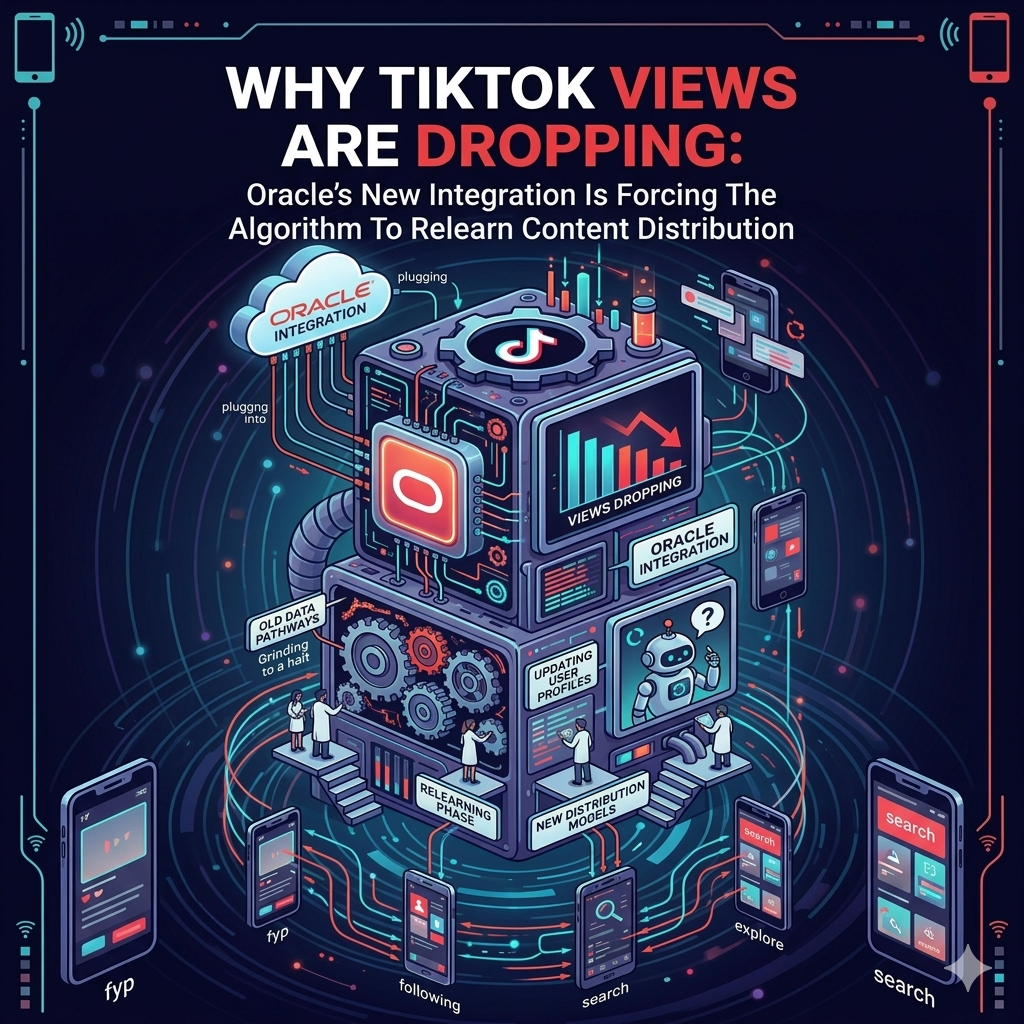
Over the past few weeks, many TikTok creators, agencies, and growth teams have noticed a sharp and unusual decline in views across multiple niches. Videos that would normally perform consistently are suddenly underperforming, while random uploads experience unpredictable spikes without clear patterns.A major reason behind this instability appears to be the ongoing infrastructure and data synchronization changes tied to ByteDance’s newer Oracle-based integrations and backend restructuring.click to expandThe Algorithm Is Essentially “Relearning” DistributionTikTok’s recommendation system heavily depends on historical behavioral data. Every creator account develops a performance profile over time based on:Watch time patternsAudience retentionGeographic behaviorDevice interactionsInterest clusteringEngagement historyContent categorizationSession behaviorNormally, the algorithm uses this historical data to predict which users are most likely to engage with a video within seconds of upload.However, when large-scale backend migrations or infrastructure integrations happen — especially involving cloud databases and regional content distribution systems — those predictive models can temporarily lose synchronization.This creates a situation where the recommendation engine begins partially disregarding older performance patterns while attempting to rebuild new behavioral mapping structures.As a result:Previous viral consistency becomes unreliableStrong-performing accounts suddenly lose momentumContent distribution becomes unstableView counts fluctuate aggressivelyAudience matching becomes delayed or inaccurateWhy Views Are Dropping So DrasticallyThe biggest issue is not necessarily that content is “bad.”The issue is that the system currently appears to be struggling with timing and synchronization between old behavioral datasets and newly integrated infrastructure layers.TikTok’s algorithm operates at enormous scale. Billions of engagement signals are processed continuously across regions and recommendation pools.When Oracle-related backend integrations and database imports occur, the system must:Re-map audience relationshipsRe-index behavioral clustersSynchronize creator trust signalsRecalculate recommendation confidence scoresRebuild content distribution pathwaysThat process cannot happen instantly.Even small desynchronizations at this scale can create massive visibility inconsistencies across the platform.A creator who previously averaged 100,000 views may suddenly struggle to hit 5,000 — not because their audience disappeared, but because the algorithm is temporarily uncertain about where and how aggressively to distribute their content.Why Some Random Videos Suddenly ExplodeAnother symptom creators are noticing is the rise of “random virality.”This happens because the system is currently testing wider experimental distribution pools while rebuilding confidence models.Instead of relying heavily on historical creator data, TikTok appears to be temporarily placing more emphasis on:Real-time engagement velocityImmediate retention signalsRapid audience testingBroader experimental placementsThis causes previously predictable performance patterns to become chaotic.Accounts that once had stable reach now experience inconsistency, while smaller accounts occasionally receive sudden exposure spikes.This Is Not Something That Can Be Fixed OvernightMany users assume TikTok can simply “flip a switch” and restore normal performance.In reality, rebuilding synchronization across massive recommendation databases is an extremely complex engineering process.The amount of behavioral data TikTok processes daily is enormous. Importing, validating, syncing, and recalibrating those systems across regions takes time.Any rushed fixes could create:Broken recommendation loopsDuplicate audience mappingIncorrect interest targetingEngagement inflation issuesDistribution instabilityBecause of this, stabilization usually happens gradually rather than instantly.What Creators Should ExpectDuring periods like this, creators may notice:Lower average viewsSlower initial distributionDelayed engagement spikesUnpredictable reachHigher volatility between uploadsSudden performance swings between similar videosThis does not necessarily mean an account is permanently damaged.In many cases, the algorithm is still recalibrating confidence levels and relearning audience distribution behavior under the updated infrastructure environment.The Best Strategy Right NowCreators who survive algorithm transition periods are usually the ones who remain consistent.Instead of overreacting to temporary drops:Continue posting consistentlyFocus on retention qualityImprove watch completion ratesAvoid deleting underperforming videos immediatelyGive the system time to rebuild audience mappingPrioritize strong hooks and replay valueAs the infrastructure stabilizes and recommendation confidence improves, performance patterns are likely to become more predictable again.At the moment, the volatility itself is one of the clearest signs that the algorithm is still recalibrating.
Read More
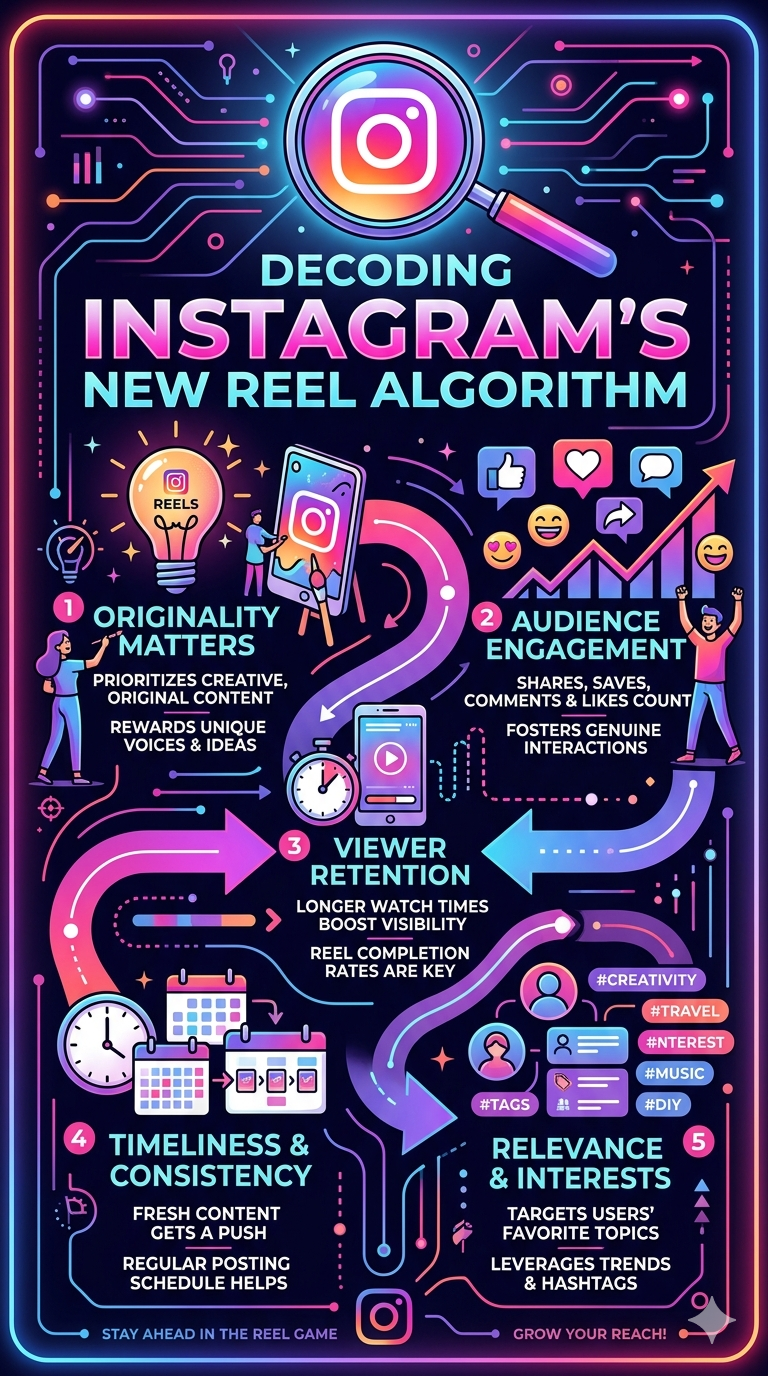
Why 3 Seconds Is No Longer EnoughDecoding Instagram’s New Reel Algorithm and the Rising Standards for Organic ReachFor years, creators believed the battle for visibility was won in the first three seconds.A fast hook.
A shocking headline.
A flashy transition.That was enough to generate a “view.”But the short-form content ecosystem has evolved. Platforms like Instagram are no longer rewarding simple exposure — they are rewarding sustained attention.The era of scroll-catching has shifted into the era of retention psychology.Today, algorithms are becoming increasingly selective about what deserves distribution. A person briefly seeing your Reel is no longer considered meaningful engagement. What matters now is whether the viewer stays, watches, reads, replays, and interacts long enough for the platform to classify your content as valuable.And that changes everything.The Death of the “Instant View”In the early days of Reels and short-form video, platforms aggressively pushed content to maximize user growth.A “view” was counted almost immediately after autoplay began. This created an environment where creators optimized purely for interruption:
Loud intros
Fast cuts
Clickbait captions
Shock-value thumbnails
Misleading hooks
The goal was simple: stop the scroll.But platforms eventually discovered a problem.A large percentage of those views were low quality. Users were tapping away almost instantly, meaning the content was attracting curiosity — not actual interest.As a result, Instagram’s recommendation systems evolved.The algorithm now studies viewer satisfaction signals rather than just impressions.That means:
How long users stay
Whether they continue watching after the hook
If they replay the video
Whether they open the caption
If they read comments
Whether they visit your profile afterward
The modern algorithm is no longer asking:
“Did someone see this?”
It is asking:
“Did this content successfully hold human attention?”
The 50% Completion RuleOne of the biggest shifts in modern Reel distribution is the importance of completion percentage.Current algorithm behavior strongly suggests that videos receiving consistent watch duration above the halfway point are weighted significantly more favorably in recommendation systems.If viewers repeatedly abandon a Reel before 50% completion, Instagram may interpret the content as:
misleading,
weakly structured,
overhyped,
or simply not engaging enough to continue watching.
This is why many creators experience:
high view counts,
but extremely low reach expansion.
The Reel may technically receive views, but the retention data tells the algorithm that viewers are losing interest too early.In practical terms, the platform now prioritizes:
retention quality over raw clicks,
session duration over autoplay impressions,
and watch satisfaction over vanity metrics.
Why 10 Seconds Became the New Attention BenchmarkThe most important metric today is no longer “views.”It is time spent per viewer.Modern recommendation systems appear to operate around what many creators now call the “Safety Zone” — the 5 to 10 second retention threshold.When a stranger remains on your post for at least several seconds, Instagram gains confidence that:
your content was not accidental,
the hook matched the actual value,
and the viewer found enough interest to continue consuming.
That confidence affects distribution.A Reel that consistently holds cold audiences beyond the 5–10 second range is far more likely to:
enter Explore feeds,
appear in Suggested Posts,
receive broader recommendation testing,
and continue expanding organically beyond existing followers.
In other words:Attention duration has become the new currency of reach.The Rise of “Deep Engagement”The biggest algorithmic evolution from 2024–2026 is the integration of multi-layer engagement signals.Instagram is no longer analyzing videos in isolation.It now evaluates what users do around the content.This includes:
opening captions,
tapping “more,”
reading comments,
pausing on discussions,
revisiting the profile,
and even lingering on the post while the Reel loops in the background.
This creates what many marketers refer to as deep engagement behavior.A viewer who:
watches 10 seconds,
opens the caption,
reads comments,
then visits the profile,
is exponentially more valuable to the algorithm than someone who simply watched for three seconds and scrolled away.Why?Because these behaviors signal:
curiosity,
emotional investment,
informational value,
and extended platform session time.
And platform session time is ultimately what social media companies optimize for.Captions Are Becoming Part of the AlgorithmFor years, captions were treated as optional.Now they are becoming strategic assets.A strong caption increases:
dwell time,
interaction depth,
comment participation,
and total session duration.
This means captions should no longer merely describe the video.Instead, they should:
expand the story,
introduce tension,
provide hidden context,
reveal additional value,
or encourage continued reading.
The “Read More” click itself has become a meaningful signal.It tells the algorithm:
“This content made the user stop consuming passively and start engaging actively.”
That distinction matters more than most creators realize.Why Comment Sections Matter More Than EverThe comment section is no longer just community management.It is now part of content distribution.If users spend time:
reading debates,
scanning opinions,
laughing at replies,
or following long comment chains,
Instagram interprets that behavior as prolonged engagement.Even if the Reel itself is looping silently in the background, the platform still measures that session duration as attention attached to your content.This is why controversial, discussion-based, or curiosity-driven posts often outperform purely aesthetic content.Conversation extends retention.Retention increases recommendation confidence.Recommendation confidence increases reach.Strategic Takeaways for Modern Creators1. Build a “Double Hook”The first 3 seconds should stop the scroll visually.But the next 5 seconds must create psychological curiosity.Your audience needs a reason to continue watching beyond the initial interruption.The creators winning today are not just attention-grabbers — they are attention-holders.2. Structure Videos Around RetentionEvery few seconds should introduce:
a new angle,
an unanswered question,
a reveal,
emotional tension,
or informational payoff.
Dead space kills retention.The algorithm notices.3. Write Captions That Add ValueDo not repeat the video.Use captions to:
explain hidden context,
expand the topic,
create controversy,
provide educational value,
or encourage discussion.
The goal is not just watching.The goal is staying.4. Engineer Comment ActivityComment sections are now retention tools.Pin questions.
Create debates.
Reply strategically.
Seed conversations early.A post with an active discussion thread can dramatically outperform a post with passive likes.5. Optimize for Session Time, Not Vanity MetricsViews alone are becoming increasingly meaningless.What matters now is:
retention percentage,
watch duration,
replay behavior,
profile visits,
caption expansion,
and comment interaction.
Modern algorithms reward creators who can hold attention across multiple layers of engagement.Final ThoughtsThe social media landscape is entering a new phase.The platforms no longer care merely about whether users see content.They care whether users:
stop,
stay,
engage,
explore,
and emotionally invest time into the experience.
Three seconds may still earn a view.But sustained attention is what earns distribution.And in the current era of short-form content, attention is no longer measured in clicks.
It is measured in commitment.
Read More
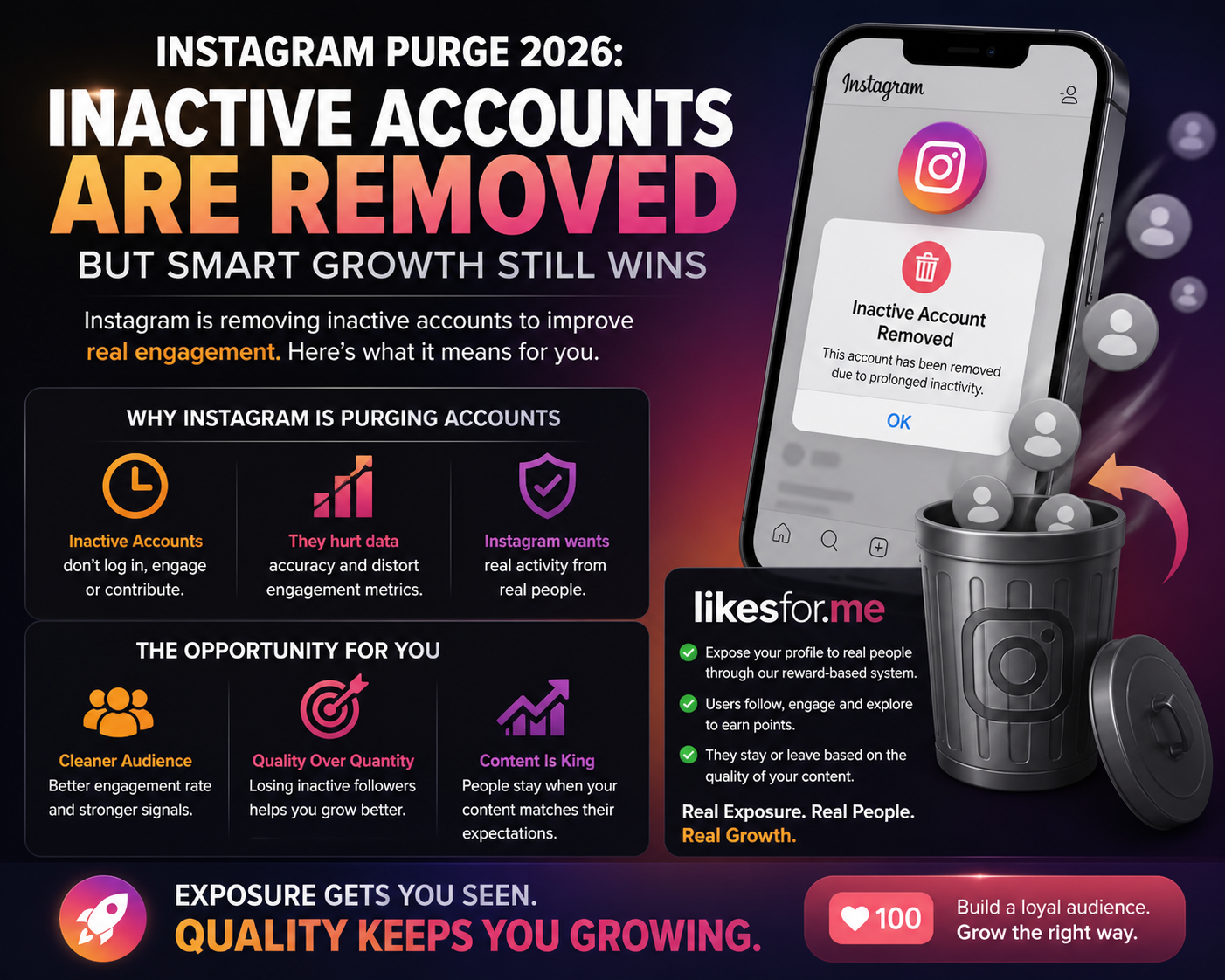
Recent reports suggest that Instagram may have removed a significant number of profiles within a short period of time. While the exact details are still unclear, one explanation is gaining traction:The platform is actively removing accounts that have been inactive for extended periods.But here’s the part most people are missing —
this purge may actually benefit creators who understand how to work with it.Why Instagram Is Removing Inactive AccountsInstagram’s algorithm in 2026 is built around real user behavior, not just numbers.Inactive accounts:
Don’t log in
Don’t engage
Don’t contribute to watch time or interactions
From the algorithm’s perspective, they provide zero value.Removing them helps Instagram:
Improve data accuracy
Train its AI on real engagement patterns
Deliver content to users who are actually active
The Hidden Opportunity Behind the PurgeAt first glance, losing followers sounds negative.In reality, it creates something much more valuable:
A cleaner, more responsive audience.
When inactive followers are removed:
Your engagement rate becomes more accurate
Your content is tested on real users
Your performance signals become stronger
This is exactly what the algorithm wants.Rethinking Growth: Exposure vs. RetentionOne of the biggest misconceptions in social media growth is this:
“All followers must stay.”
That’s no longer how the system works.Modern growth is about two stages:
Exposure – getting your content in front of real people
Retention – keeping those who genuinely like your content
This is where services like likesfor.me fit into the ecosystem — not as a shortcut, but as a distribution layer.How likesfor.me Aligns With This New Algorithm ShiftUnlike traditional follower services that rely on bots or fake accounts, likesfor.me operates differently:
Your profile is exposed to real users participating in reward-based systems
These users follow, engage, and explore content to earn points
Most importantly:
👉 They can choose to stay or unfollow based on your content quality
This creates a natural filtering effect:
Low-interest users drop off
High-interest users remain
Why Losing Followers Can Actually Improve Your GrowthThis is where many creators misunderstand the system.If someone follows you but:
Never engages
Never watches your content
Never returns
They are essentially inactive signals — similar to the accounts Instagram is removing.When these users leave:
Your audience becomes more aligned
Your engagement signals become stronger
Your content performs better with the algorithm
In simple terms:
Losing the wrong followers helps you find the right ones.
The New Standard: Content That Matches ExpectationsWith this new environment, growth is no longer about keeping everyone.It’s about:
Matching trending content expectations
Delivering value quickly
Creating content that makes people stay
Because now, every follower is constantly “deciding”:
“Do I continue following this account?”
Final ThoughtsInstagram’s purge of inactive accounts is not just a cleanup — it’s a shift in how growth works.
Inactive audiences are being removed
Real engagement is being prioritized
Content quality is becoming the deciding factor
And in this new system:
Exposure gets you seen — but only quality keeps you growing.
Here at likesfor.me we can help you get in front of real users and reward them for their time~
Read More
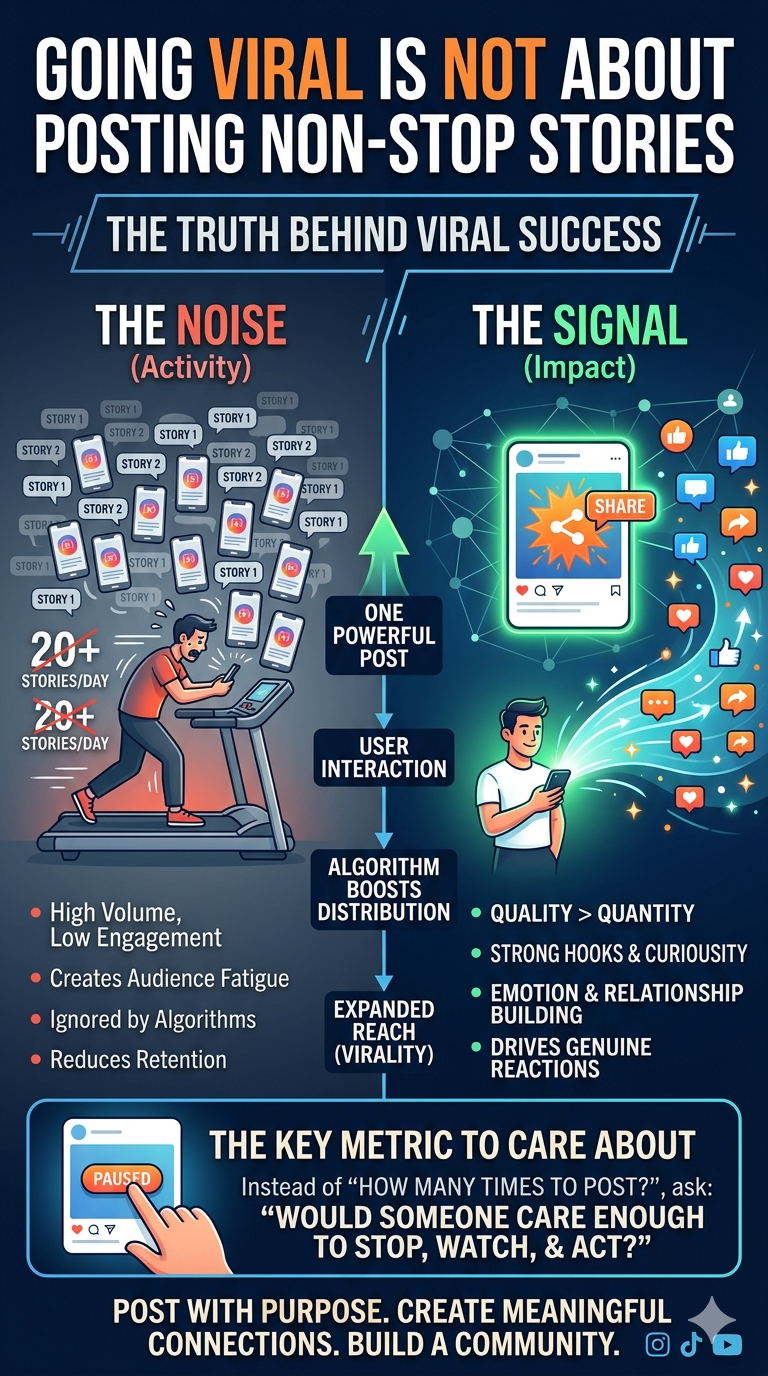
There’s a common belief among creators that the more you post—especially Stories—the higher your chances of going viral. It feels logical: more content equals more visibility, right? Not exactly.The truth is, going viral has very little to do with how often you post, and everything to do with how people react when you do.Attention > ActivityPlatforms like Instagram are no longer rewarding sheer activity. They’re engineered to detect attention, retention, and behavioral signals. If you’re posting 20 Stories a day but nobody is tapping, replying, or staying, you’re training the algorithm to ignore you.On the flip side, one strong post that holds attention—even for a few extra seconds—can outperform a flood of low-impact uploads.Virality Is a Reaction, Not a RoutineGoing viral isn’t something you grind into existence by spamming content. It’s a reaction loop:Someone stops scrollingThey engage (like, comment, share, profile visit)The platform expands distributionMore people repeat the behaviorThat loop doesn’t start because you posted 15 Stories. It starts because one piece of content triggered curiosity or emotion.Stories ≠ Discovery EngineStories are powerful—but mostly for nurturing your existing audience, not reaching new ones.Think of Stories as:Relationship buildersTrust reinforcersRetention toolsNot as your primary virality driver.If your goal is growth, your focus should shift toward:Scroll-stopping postsStrong hooks in the first 2 secondsContent that invites interactionThe "Algorithm Fatigue" TaxWhen you post non-stop, you aren’t just shouting into a void; you might be actively digging a hole. Every piece of content you post acts as a data point for the platform.The Negative Signal: If a follower swipes past your first three Stories, the algorithm assumes your content is no longer relevant to them. It stops pushing your Stories to the front of their tray.The Dilution Effect: High frequency often leads to "content thinning." When you're forced to produce 20 updates, the stakes for each one drop. Your audience learns that your content is "skippable," which destroys your Retention Score.Stories: The "Living Room" vs. The "Billboard"To understand virality, you must distinguish between Discovery and Retention surfaces.Reels/TikToks/Main Feed (The Billboard): These are designed for strangers. Virality happens here because the algorithm "tests" the content on people who don't know you.Stories (The Living Room): These are for your friends and fans. Stories have almost zero "organic reach" to new audiences.The Strategy: Use Feed posts to grab the attention of the world (Virality), and use Stories to turn that temporary attention into a permanent community. Using Stories to try and go viral is like trying to advertise your business by only talking to people who are already inside your shop.The Mechanics of "The Hook"You mentioned that virality is a reaction. In technical terms, this is often driven by High-Velocity Engagement.The platform doesn't care if a post gets 1,000 likes over a week; it cares if it gets 100 likes in the first 10 minutes. To achieve this, you need a "Hook Strategy":Visual Tension: Something in the frame that looks "off" or intriguing.The Open Loop: Starting with a statement that requires a conclusion (e.g., "I found the one thing that stops burnout, and it isn't sleep.")Low Friction: Making it incredibly easy for someone to react. One "Poll" sticker on a Story is worth more for your visibility than ten text-only slides.4. Quality is a Metric, Not an OpinionCreators often confuse "High Quality" with "High Production Value."High Production: 4K cameras, perfect lighting, professional editing.High Quality (The Viral Driver): High relevance, high relatability, or high utility.A shaky, 10-second lo-fi video of a relatable moment will go viral over a $10,000 produced ad every single time because the Human Signal (sharing and saving) is higher.The New Hierarchy of ContentIf you want to grow, stop managing your "Activity Log" and start managing these three metrics in order of importance:MetricWhy it MattersRole in ViralitySaves/SharesSignals "High Value"The primary driver for the algorithm to "boost" reach.Watch TimeSignals "High Interest"Keeps the platform happy by keeping users on the app.CommentsSignals "Community"Creates a feedback loop that pushes you higher in feeds.LikesSignals "Approval"The weakest signal; easily given, easily forgotten.SummaryIf you are posting because the "calendar says so," you are working for the platform. If you are posting because you have a specific "hook" that triggers a reaction, the platform works for you.One "Save-worthy" post per week will always out-earn 50 "Skip-worthy" Stories. Going Viral Is Not About Posting Non-Stop Stories
Read More
Loading more articles...